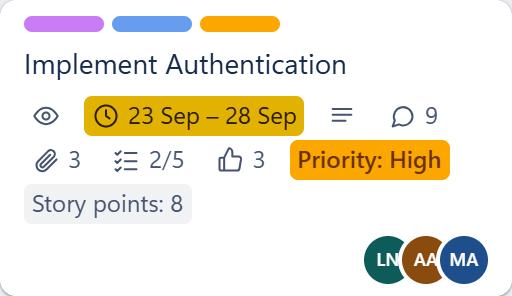

01 · Feature
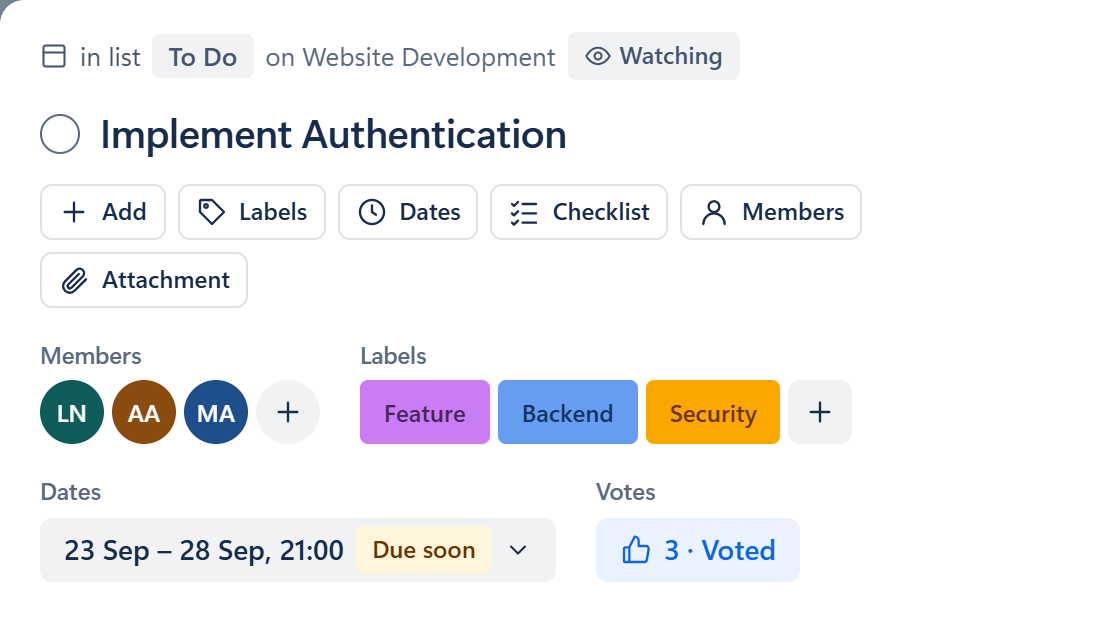
Everything about the work, on the card
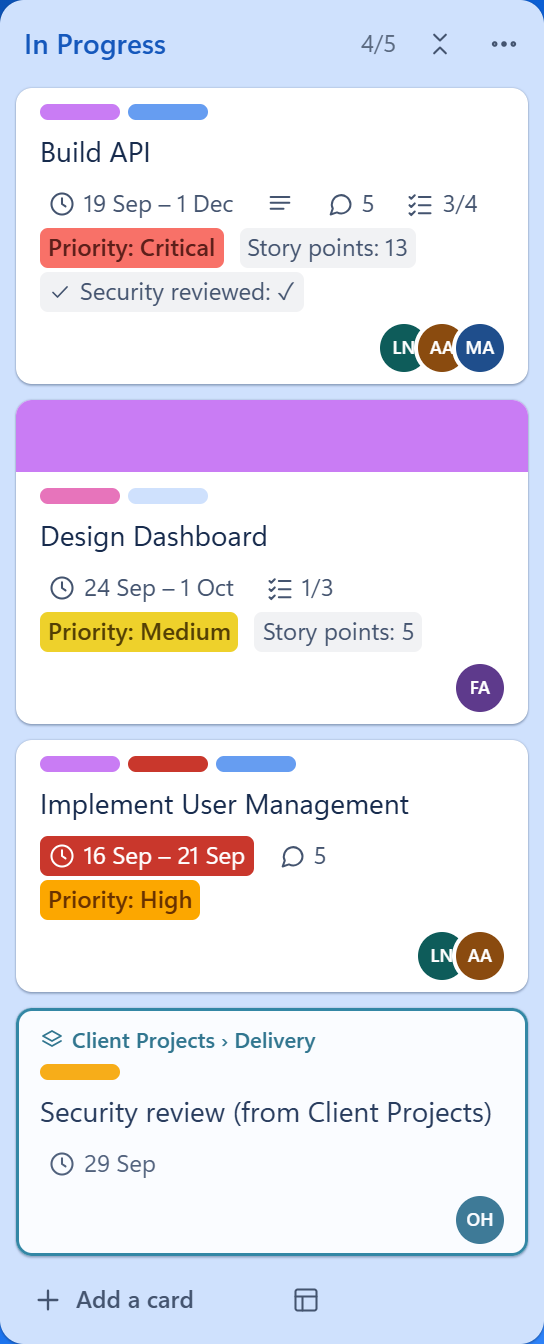
Members, labels, start and due dates, checklists, custom fields, attachments, votes and a comment thread with mentions and reactions — open a card and the whole story is there.
.NET 10Self-hosted project management
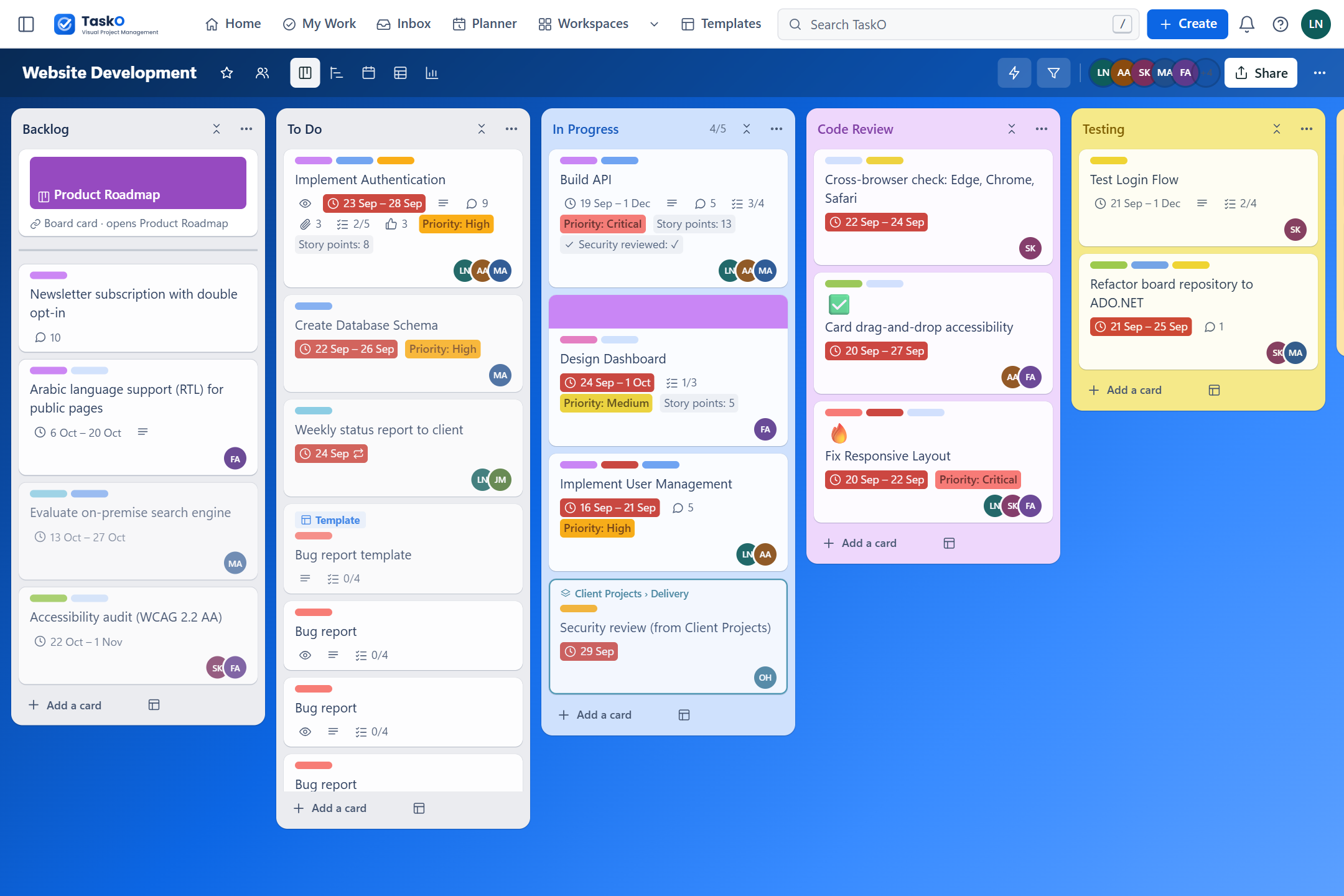
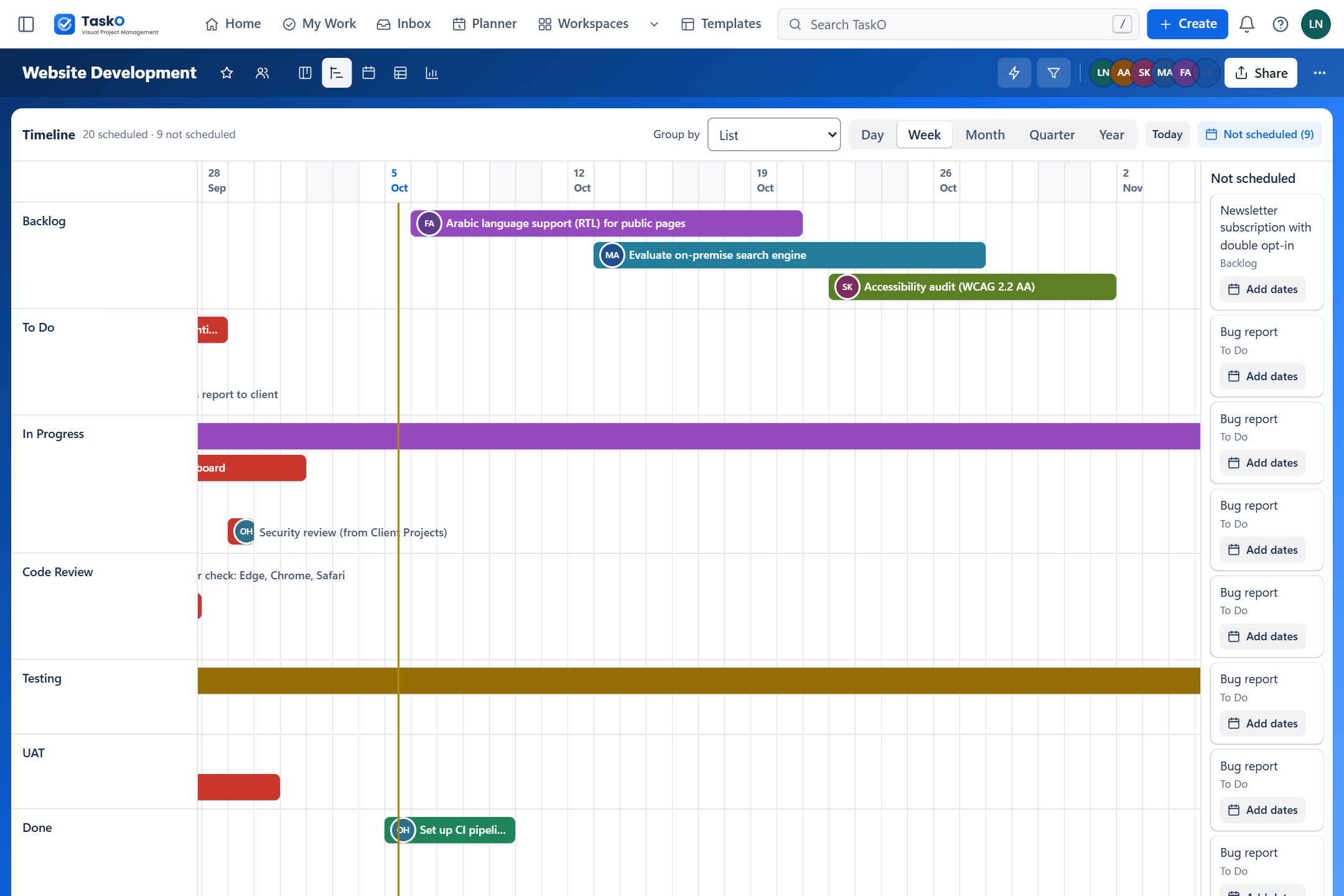
Everything your team loves about Trello — kanban boards, drag-and-drop cards, labels, checklists, due dates and automation, plus Timeline, Calendar, Table and Dashboard views. No learning curve, no per-user fees: one ASP.NET Core 10 app you host yourself, in English and Arabic.
Demo sign-in: layla@tasko.local·TaskO@2026
What sets it apart
Six things that separate TaskO from the usual to-do list with a login screen in front of it.
Members, labels, start and due dates, checklists, custom fields, attachments, votes and a comment thread with mentions and reactions — open a card and the whole story is there.
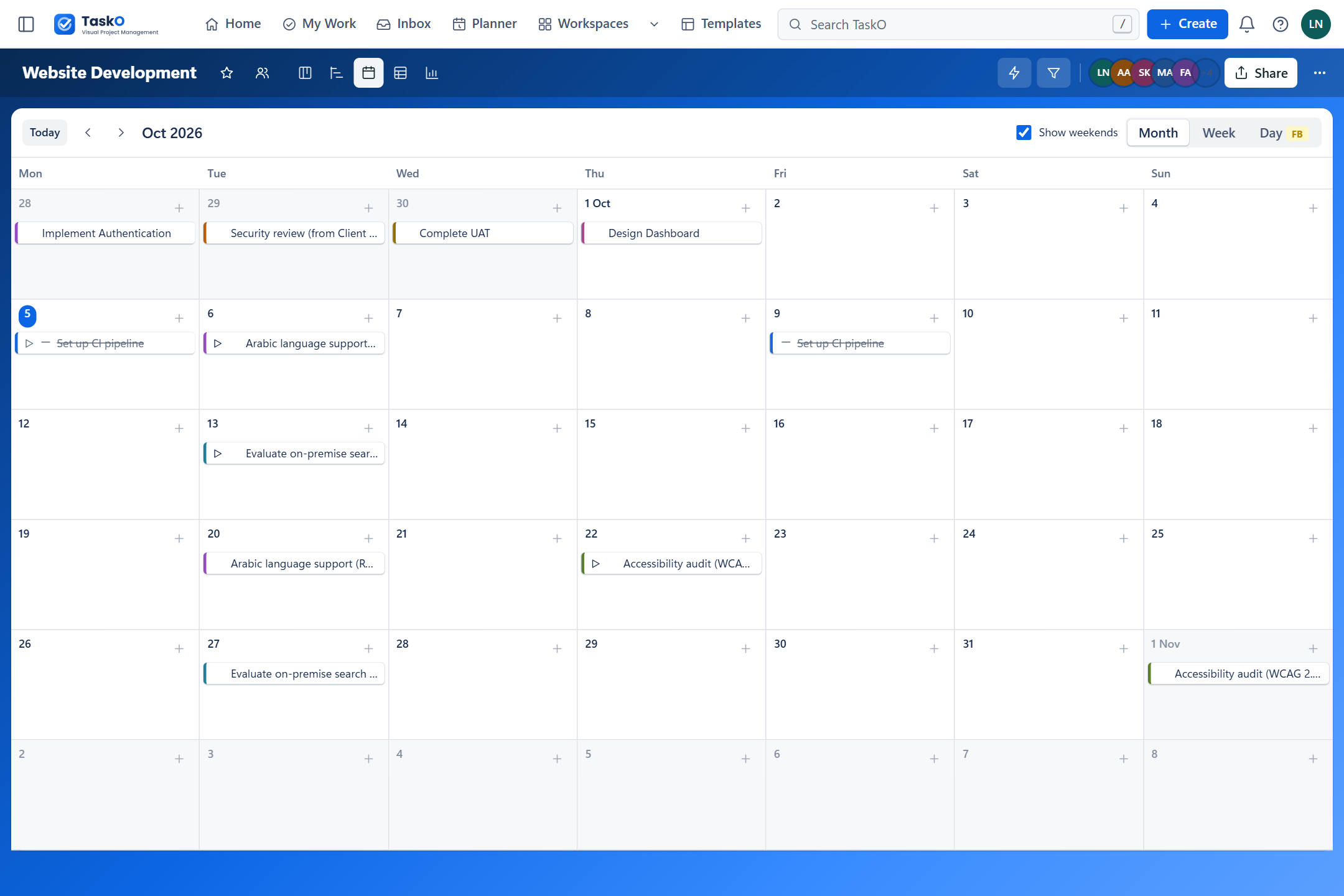
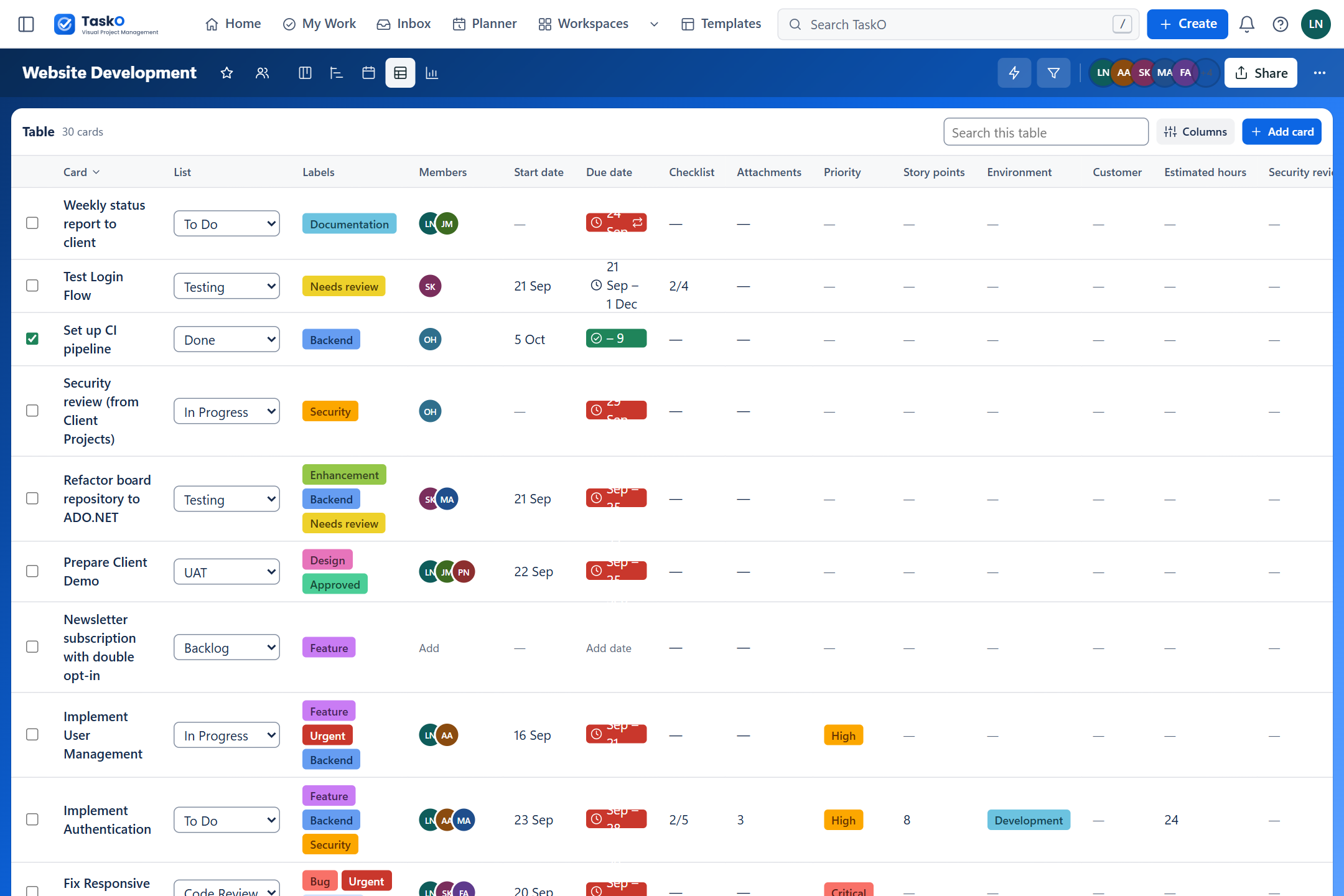
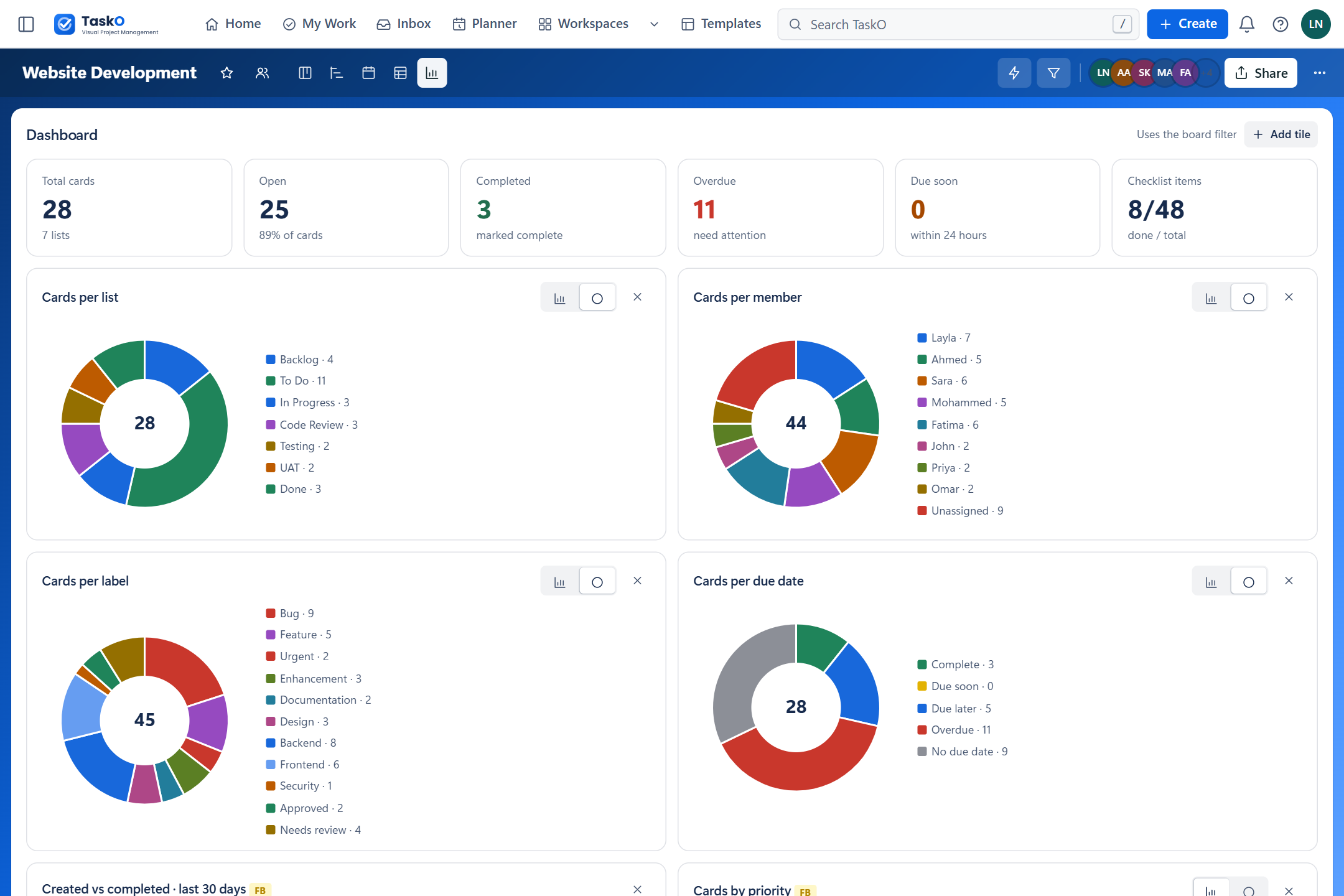
Board, Timeline, Calendar, Table and Dashboard all read the same cards, so a date dragged on the timeline is already right on the calendar.
Rules react to 21 kinds of board event, and a background scheduler runs the timed ones — reminders, due-date rules and scheduled jobs — every minute, with a log of each run.
A work-in-progress limit shows when a list is overloaded, and lists can be coloured, collapsed and dragged into a new order.
The interface, its messages and its exports in English or Arabic — down to the PDF and CSV headings — plus the settings people need to work comfortably.
TaskO runs on your server against your own SQL Server. The browser is only ever allowed to talk back to your own site — the Content-Security-Policy enforces it — so boards, files and comments are never sent to a third party.
The application
Every screen below is the running application with its demo data loaded — no mock-ups, no retouching.
Feature list
Members plan and deliver the work. Managers run their boards. Administrators run the installation.
Members · 8 features
Everything a team needs on the card itself.
Technical details
One ASP.NET Core project with its layers kept apart: controllers stay thin, services hold the rules, repositories hold every line of SQL.
One data path, deliberately. Every query is hand-written, parameterised ADO.NET through typed helpers — no ORM between you and the database, so what runs is exactly what you read.
Deny by default: every page and endpoint needs a signed-in user unless it explicitly opts out.
Deployment
Bring the whole stack up with Docker Compose, publish to IIS on a Windows server, or run it on your own machine. The browser code is plain JavaScript, so there is no npm step anywhere.
$docker compose upSQL Server and the application come up together; the guide walks through creating the schema, the application login and the demo data.
IIS 10In-process hosting through the .NET 10 Hosting Bundle, with a step-by-step guide from first publish to redeploying later.
$dotnet runOpen the solution and run it against a local SQL Server — the free Express edition is enough.
AI-ready codebase
The package ships a CLAUDE.md that maps the solution for an AI coding agent — where each screen lives, how data moves and the rules the code follows. Open the project in the agent of your choice and build on it.
 Claude
 Codex
Codex Antigravity
What is included
Listed here plainly rather than left for you to find. None of these are presented anywhere on this page as working features.

Boards, five views, automation and a full administration area — in one ASP.NET Core 10 solution with source, database scripts, documentation and a Docker stack.